
지식 베이스
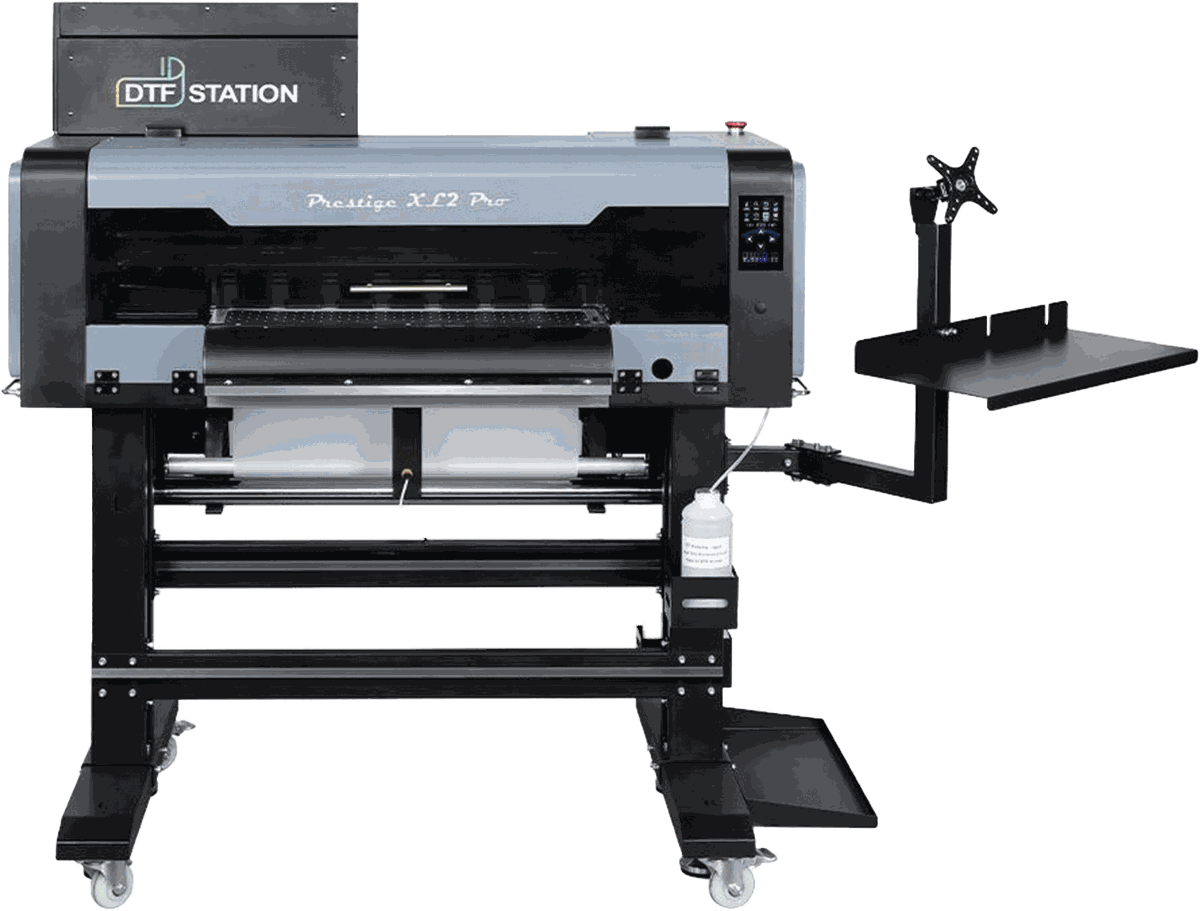
Prestige XL2 Pro
- OperationPrestige XL2 Pro - 사용 설명서45 단계 · 동영상
- MaintenancePrestige XL2 Pro - 유지보수 가이드25 단계 · 동영상
- TroubleshootingPrestige XL2 Pro - 13047 오류 코드 또는 Print Pass Data Unfinished 오류 해결 방법5 단계 · 동영상
- TroubleshootingPrestige XL2 Pro - DTF 일반 문제 해결12 단계 · 동영상
- TroubleshootingPrestige XL2 Pro - Pilot 소프트웨어에서 댐퍼 물리적 위치를 변경하고 잉크 순서를 변경하는 방법1 단계 · 동영상
- TroubleshootingPrestige XL2 Pro - Prestige - Y 모터 텐션 벨트 교체 방법4 단계 · 동영상
- TroubleshootingPrestige XL2 Pro - Prestige & Aries - Pilot Software로 프린트헤드 캐리지 홈 위치를 확인하고 조정하는 방법12 단계 · 동영상
- TroubleshootingPrestige XL2 Pro - Prestige & Aries - 임팩트 정지 오류 문제 해결 방법13 단계 · 동영상
- TroubleshootingPrestige XL2 Pro - Prestige L Series - 테이크업 시스템 센서 및 모터 문제 해결 및 교체 방법 | DTF Station17 단계 · 동영상
- TroubleshootingPrestige XL2 Pro - Prestige Large Format - 노즐 체크 불량 문제 해결 방법6 단계 · 동영상
- TroubleshootingPrestige XL2 Pro - Prestige Large Format - 엔코더 센서 교체 방법15 단계 · 동영상
- TroubleshootingPrestige XL2 Pro - Prestige Large Format - 전원 공급 보드, 잉크 경보, 서브 제어 패널 문제 해결/교체16 단계 · 동영상
- TroubleshootingPrestige XL2 Pro - Prestige Large Format - 화이트 잉크 디버터 교체 방법10 단계 · 동영상
- TroubleshootingPrestige XL2 Pro - Prestige Large Format & Aries - 문제 해결 및 부품 교체: 화이트 잉크 순환: 단계별 안내10 단계 · 동영상
- TroubleshootingPrestige XL2 Pro - Prestige Large Format & Aries - 인코더 스트립 교체 방법14 단계 · 동영상
- TroubleshootingPrestige XL2 Pro - Prestige 대형 프린터 - 텐션 바 브래킷 조정 방법5 단계 · 동영상
- TroubleshootingPrestige XL2 Pro - 기존 CMYK 잉크 제거 및 Color Prime Chroma Ink 주입 방법13 단계 · 동영상
- TroubleshootingPrestige XL2 Pro - 문제 해결 가이드: 필름 및 인쇄물의 세로 또는 가로 줄 해결1 단계 · 동영상
- TroubleshootingPrestige XL2 Pro - 불량 X 모터 식별 및 교체 방법8 단계 · 동영상
- TroubleshootingPrestige XL2 Pro - 엔코더 스트립 점검 및 청소 방법10 단계 · 동영상
- TroubleshootingPrestige XL2 Pro - 잉크 튜브 어셈블리 교체 방법41 단계 · 동영상
- TroubleshootingPrestige XL2 Pro - 캡핑 스테이션 또는 메인보드 오류 문제 해결 방법 (오류 코드 4000, 13023)17 단계 · 동영상
- TroubleshootingPrestige XL2 Pro - 캡핑 스테이션 어셈블리 교체 방법27 단계 · 동영상
- TroubleshootingPrestige XL2 Pro - 프린트헤드 교체 테스트 수행 및 프린트헤드 설치 방법15 단계 · 동영상
- TroubleshootingPrestige XL2 Pro - 프린트헤드 캐리지가 정상적으로 움직이지 않을 때의 문제 해결 방법1 단계 · 동영상
- TroubleshootingPrestige XL2 Pro - 프린트헤드 케이블을 도터보드에 연결하는 방법7 단계 · 동영상
- How-toPrestige XL2 Pro - Pilot 소프트웨어 - 올바른 포트 설정 및 Pilot 프로그램 언어 변경6 단계 · 동영상
- How-toPrestige XL2 Pro - Prestige & Aries - Pilot 소프트웨어로 잉크 출력량 조절하기: 컬러, 화이트, 바니시 레이어 향상5 단계 · 동영상